
With Facebook pages, it may be necessary to install the Missinglettr app into your Facebook account.
Please make sure you are logged in with your personal profile, and not interacting as the page. Otherwise you won't have access to the Business integration settings.
From Facebook's homepage, click your profile picture, and then select "Setting & privacy"
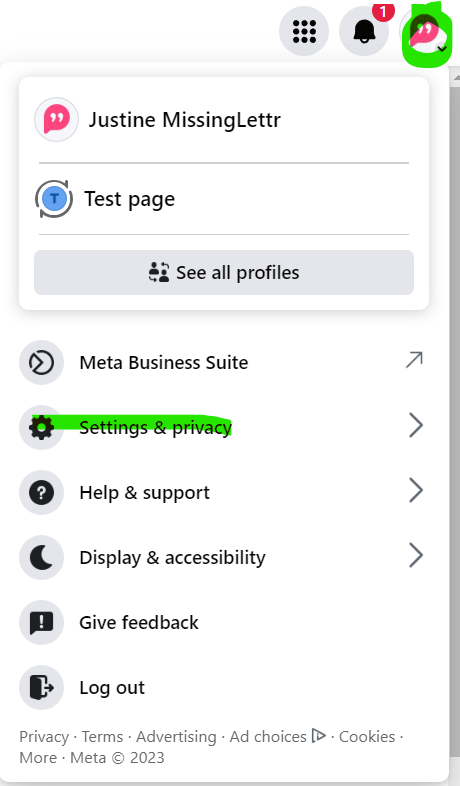
Then click "Settings". Once there, click "Business Applications" at the bottom right :
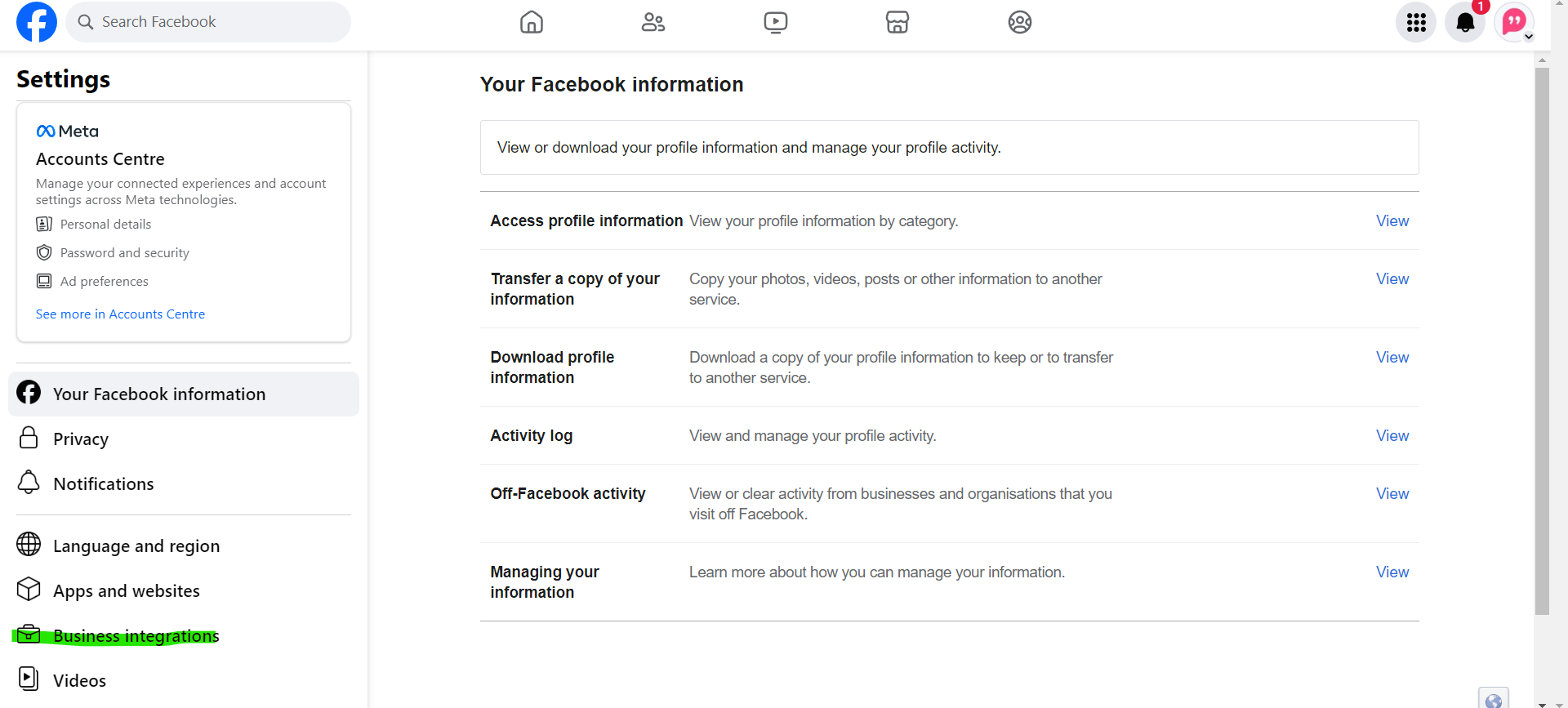
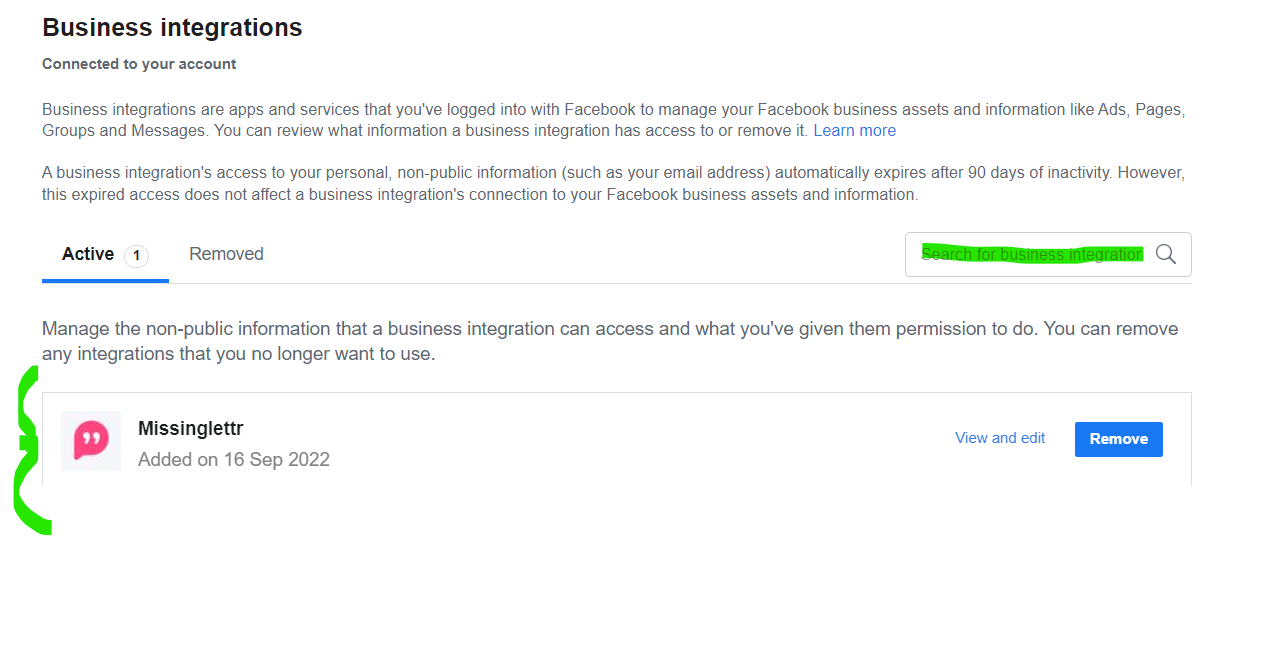
If Missinglettr is not showing in the list of apps, click to "Search for Business integration".
Enter MissingLettr, click on the app and make sure you allow every permission it asks.
If it's already added like you see on the screenshot below, click "Remove", and then go back to MissingLettr to reconnect your Facebook page. Make sure you give every permission required.
And that's it - your scheduled and approved Facebook posts should start sending to your Facebook page according to your calendar.