
It's possible to turn any valid link into a campaign by using the blue "+" button on the bottom right-hand side of the Campaign dashboard.
After clicking on "+" a popup will appear:
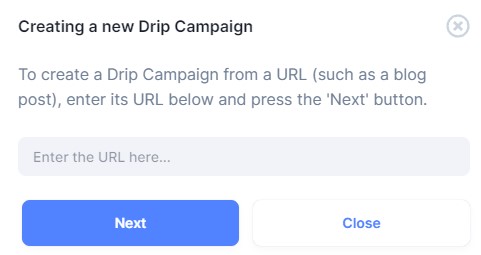
After inputting a link, click Next and you'll reach the following step:
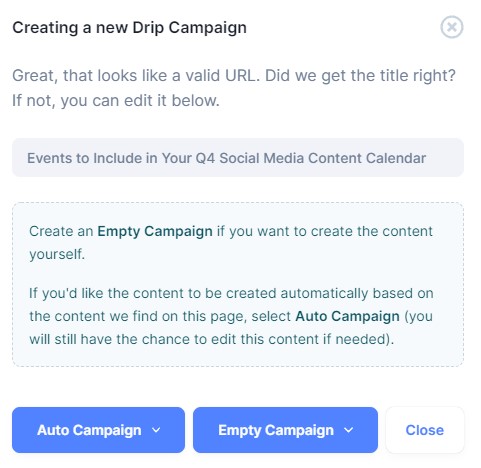
Apart from editing the title of your campaign, you can also select the type of campaign to create.
Auto Campaigns
These are regular campaigns that instruct our scraper to go to the link you have provided and extract any content we may find in order to create content suggestions.
Empty Campaigns
These don't extract any content from the link you have added. Instead, a completely empty campaign is created, populated with nothing but the title of the campaign and shortened link. You can freely add any content you wish to promote through your campaign.
Choosing a schedule template for your manual campaign is possible via the button dropdown - to reveal it, click on the arrow next to the campaign type you would like to use.
If you haven’t set up custom schedule templates, you can learn how to do so here.